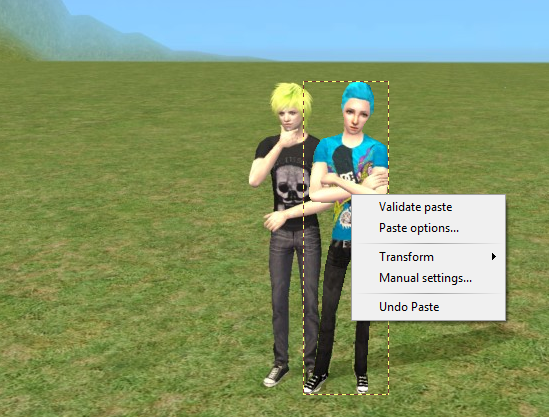
First, open up all the images you want put together. For now, I'm going to only use two different ones.
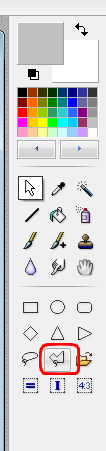
Step one - go to the right and select your polygon tool and outline your sim/person. You might need patience with outlining, and the first time you do it, don't expect to be perfect. The polygon tool is highlighted in the picture below. If your person has their hands on their hips, please click here.
Once your sim or person is outlined, right click on them and select copy. Go to your main picture and paste. You can now move him/her anywhere you wish. If you want it to look like they aren't really in the picture, but then again are, validate your paste (by right clicking) and go to edit > fade paste. Fade it until you're happy with your image. There is another option to do, right click on the person you have right before you 'validate' it. You can go to transform > free.. and transform them to your liking.
Once you're finished, right click and validate paste.